Commercial
Offices, retail, and mixed-use properties
DIGITAL TWINS FOR EXISTING AND FUTURE BUILDINGS
For the building you manage today or the one you plan to build. DomiGrid brings spaces, equipment, records, and compatible live data together so owners and project teams can find what they need.
A BUILDING, MADE EASIER TO UNDERSTAND
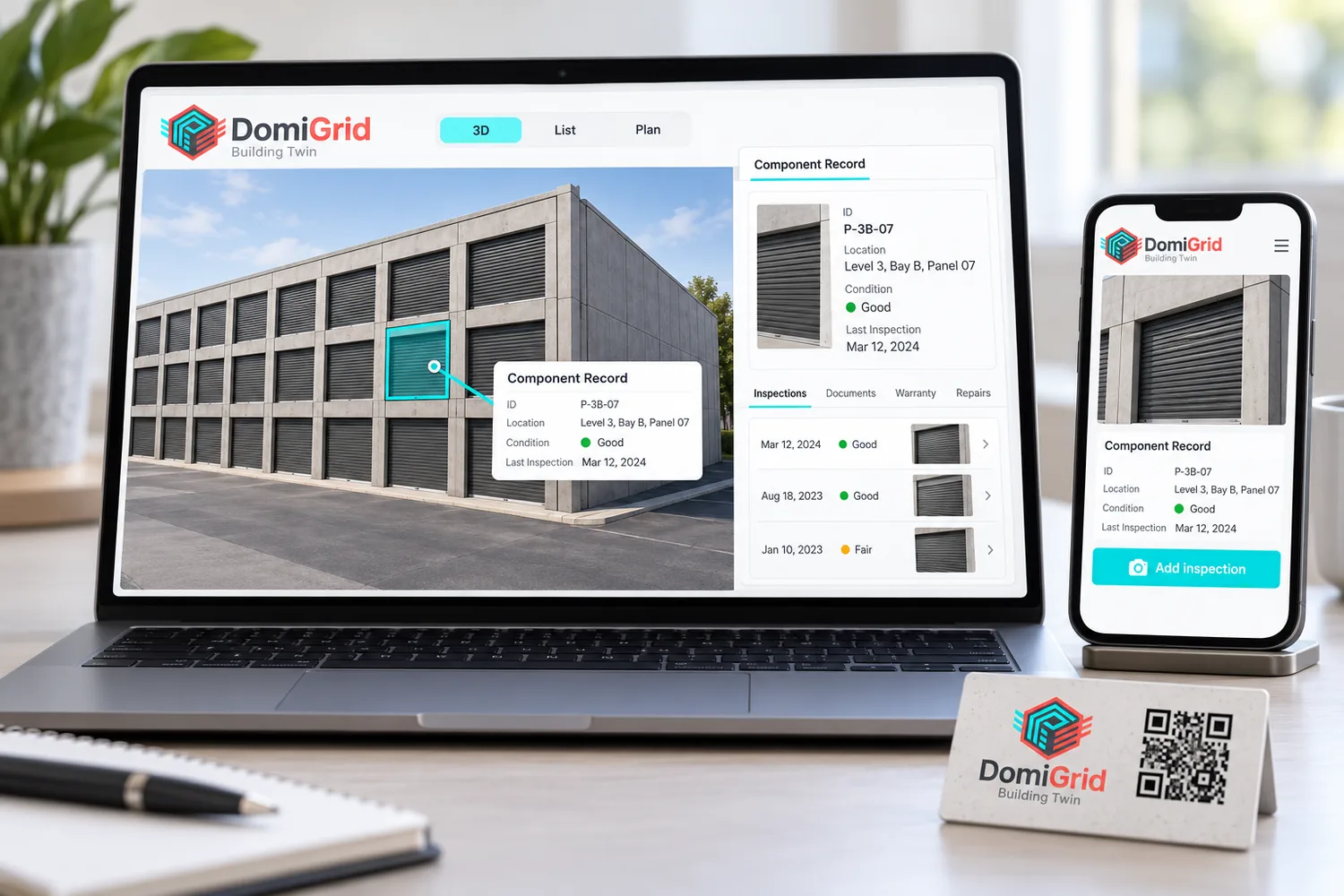
Where is it? What do we know about it? What needs attention? A useful twin connects a clear spatial view to records people can act on.
THE OWNER’S VIEW
Keep the first version focused on useful building context and trustworthy records. Add detail when it answers a real owner or manager question.
Connect your equipment. See live data.
DomiGrid can pull live data from compatible equipment and building systems, bringing readings and operating status into the building record. Each connection depends on the equipment and available access.
FOR BUILDINGS OF EVERY TYPE
Every building has its own systems and records. DomiGrid starts with the people who need the information and adapts the twin to that property.
Offices, retail, and mixed-use properties
Unit buildings and multi-site portfolios
Homes, apartments, and communities
Warehouses and specialized facilities
Existing properties and planned buildings. Single sites and portfolios. DomiGrid adapts to your building, regardless of construction method.
THROUGH THE LIFE OF A BUILDING
Agree the model scope, information sources, and what should be ready at handover.
Document selected spaces and installed systems while details are visible.
Help the owner find records, follow maintenance, and add verified information over time.
START WHERE YOUR BUILDING IS
For existing buildings, we bring available site information, equipment details, and records together. For planned buildings, we organize design and project information so the record can grow through construction, handover, and operation.
Discuss your buildingSTART SMALL, LEARN FROM A REAL BUILDING
We’ll define the users, the information available, and a first scope you can judge in real work. No giant software rollout required.
Scope and price agreed before work begins.
Let’s plan a useful first twin
Tell us about the building, who will use the information, and what you need to find or manage. We’ll discuss a practical first scope.
STRAIGHT ANSWERS
Existing buildings and future projects, across building types and construction methods. The scope is tailored to the information available and what the owner or project team needs.
Yes. A useful first step can be one building, floor, room, or system. We can work from available drawings, equipment lists, manuals, service history, and site information.
No. Start with the model and records people need. Readings from compatible devices are an optional layer, added only when the connection and the data are checked.
No. The screen is a concept mockup to show the intended direction. DomiGrid’s current workspace manages building and equipment records; the full 3D owner experience is still being shaped with project partners.